You did the work. Bill all of it.
Quick calls, short emails, hallway questions — the entries that never make the bill. TRYX puts a timer one tap away and turns what you say into billing language, so the work you already did shows up on the invoice.
Invite-only private beta
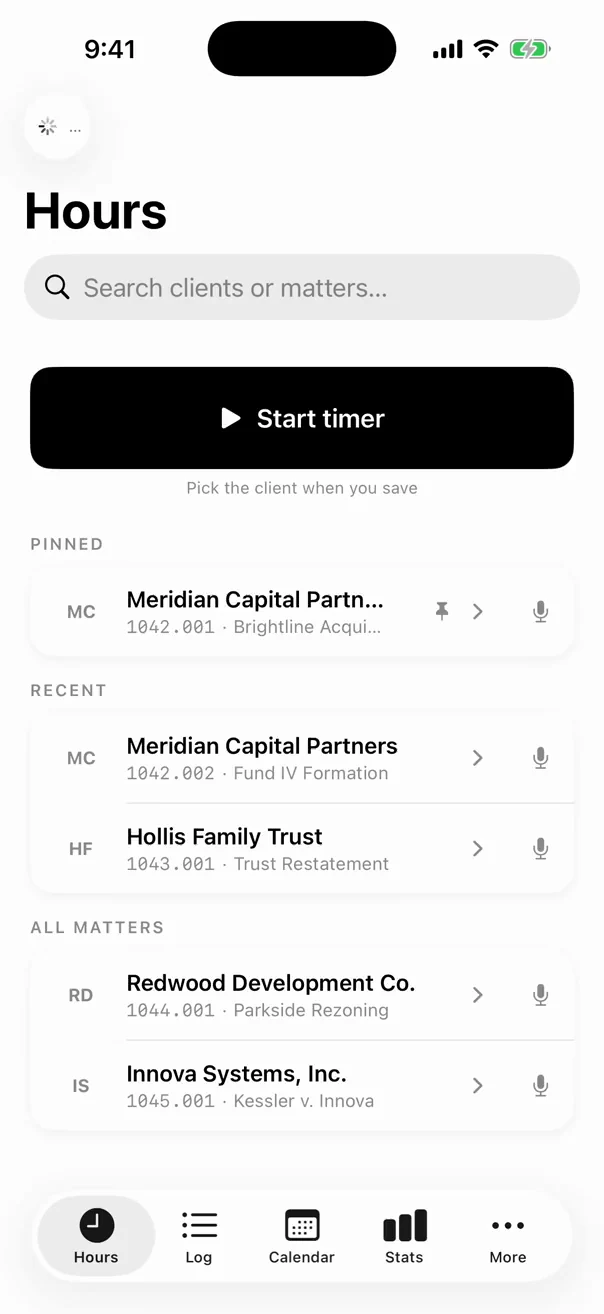
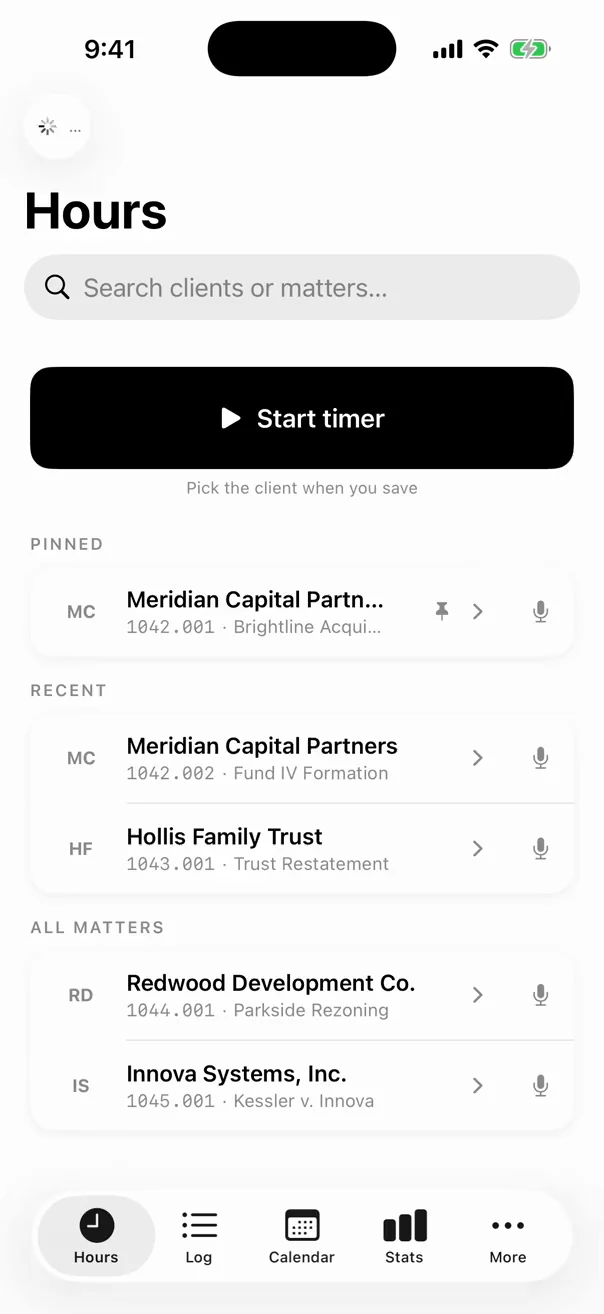
The billable minutes happen away from your desk. So does the timer.
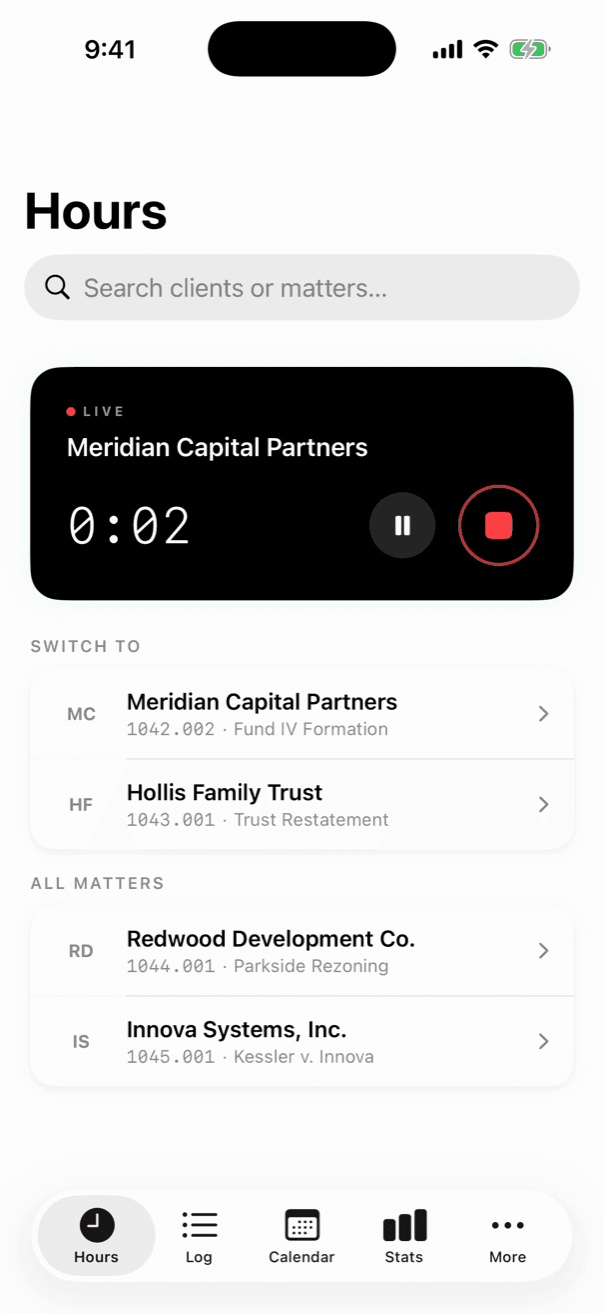
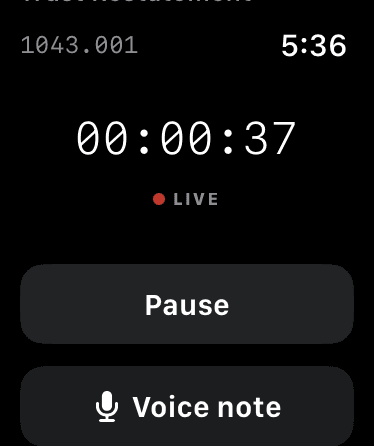
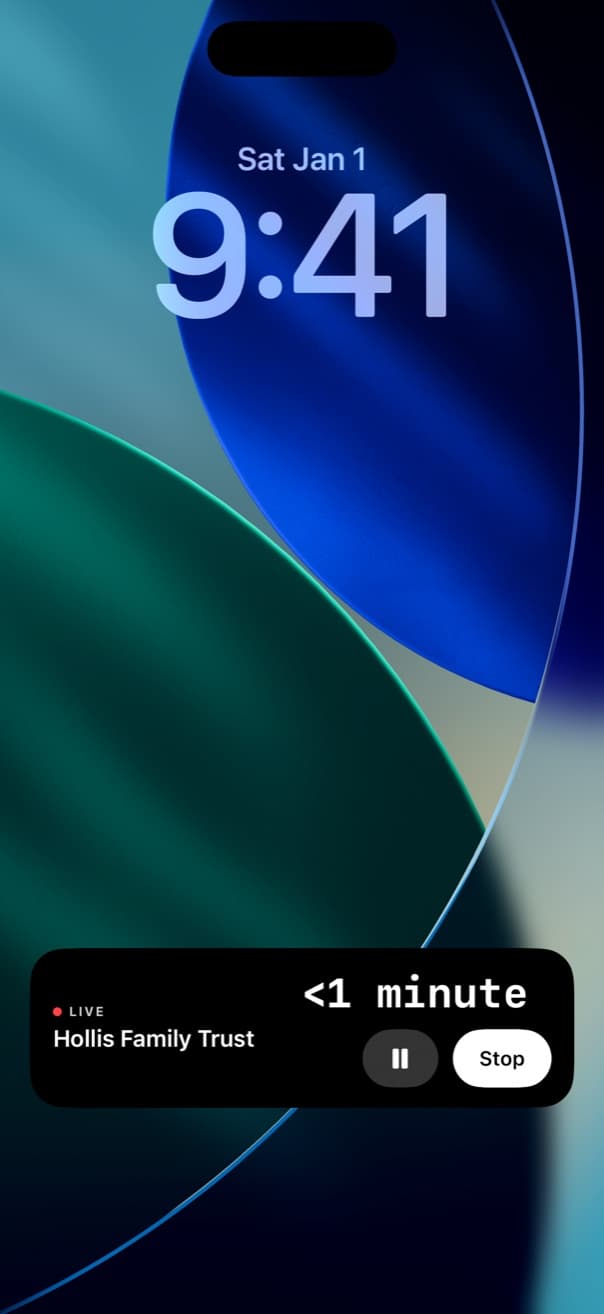
From first tap to final bill.
The timer is the front door. Behind it, every step from tap to invoice — with nothing falling out along the way.
For every attorney who bills by the hour.
Solo
Solo practitioners
You're the timekeeper and the billing department. Track from your phone, dictate notes on the move, and export the file your billing needs yourself — no back office required.
Firms
Growing firms
Every lawyer's forgotten ten minutes is your write-off. See what the firm actually captured, approve it in one place, and catch the thin entries before a client does — post-submission edits come to you as requests, never silent rewrites.
Enterprise
Large and carrier-billing firms
Rate tiers, matter-level billing references and UTBMS task codes are first-class fields here, not an export afterthought — so the work bills in the format your clients' guidelines demand, from the first entry.
Widgets & Live Activity
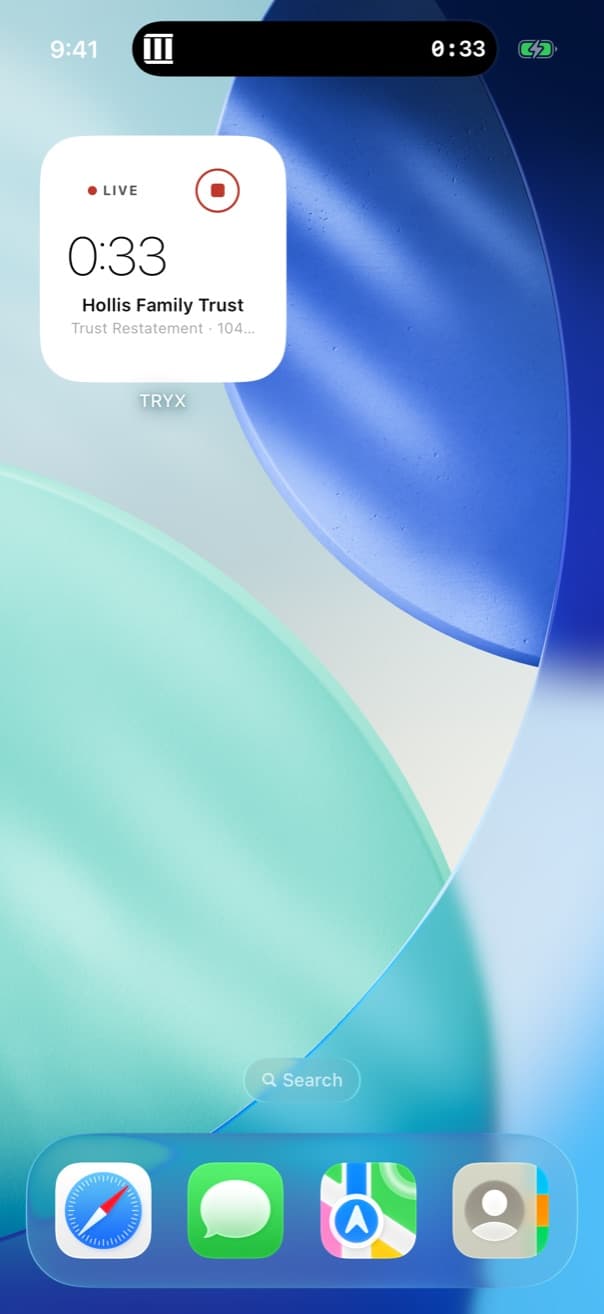
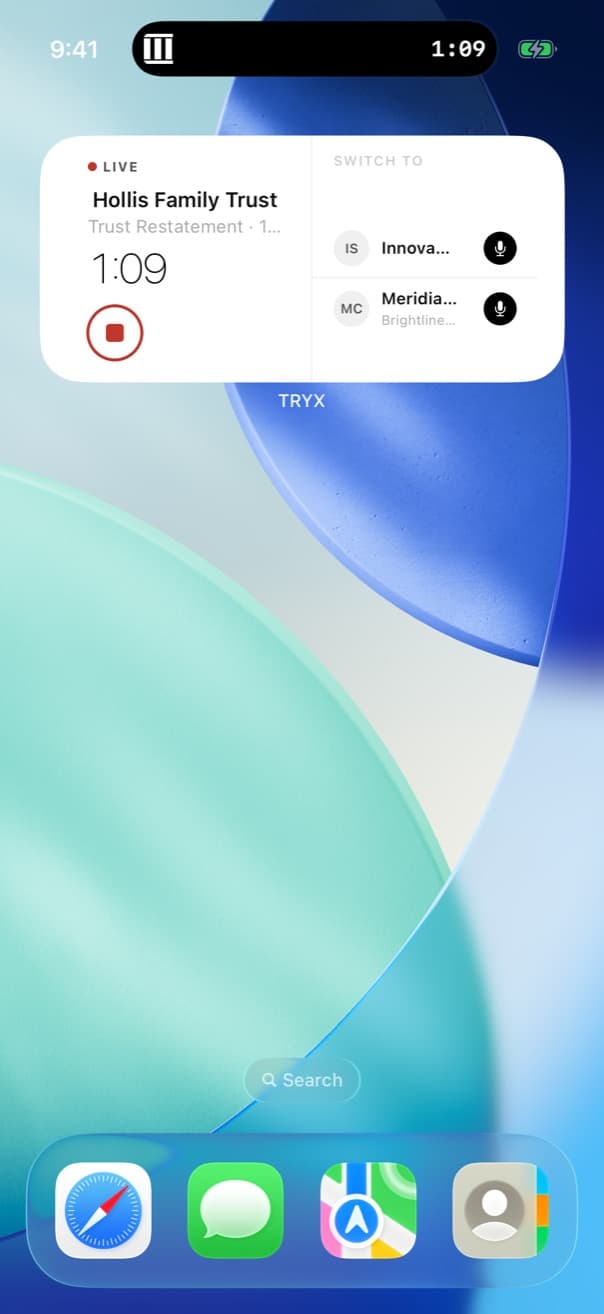
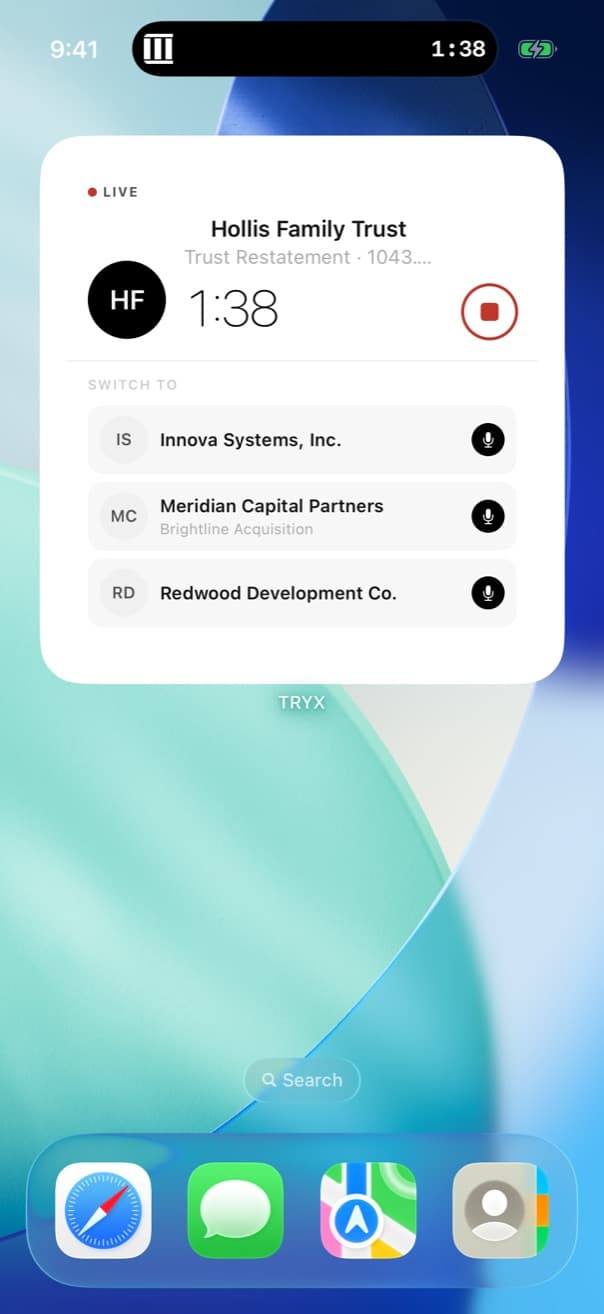
Start the clock without opening the app.
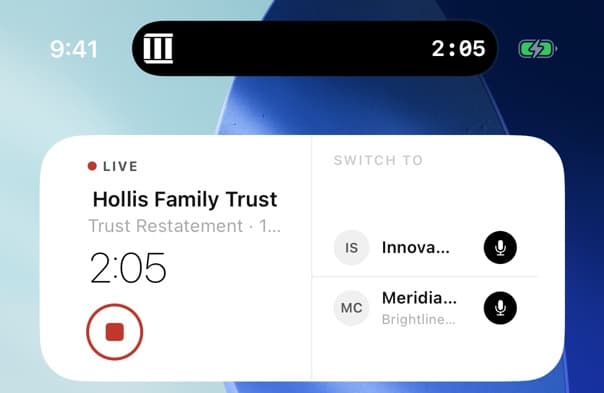
Start and stop from the Lock Screen, the Home Screen, or your wrist — capturing time takes less effort than forgetting it.
- Home Screen widgets: your recent clients, one tap from a running timer
- Live Activity and Dynamic Island keep the elapsed time in view while you work in other apps
- Apple Watch: glance at the timer and stop it from your wrist
Voice to invoice
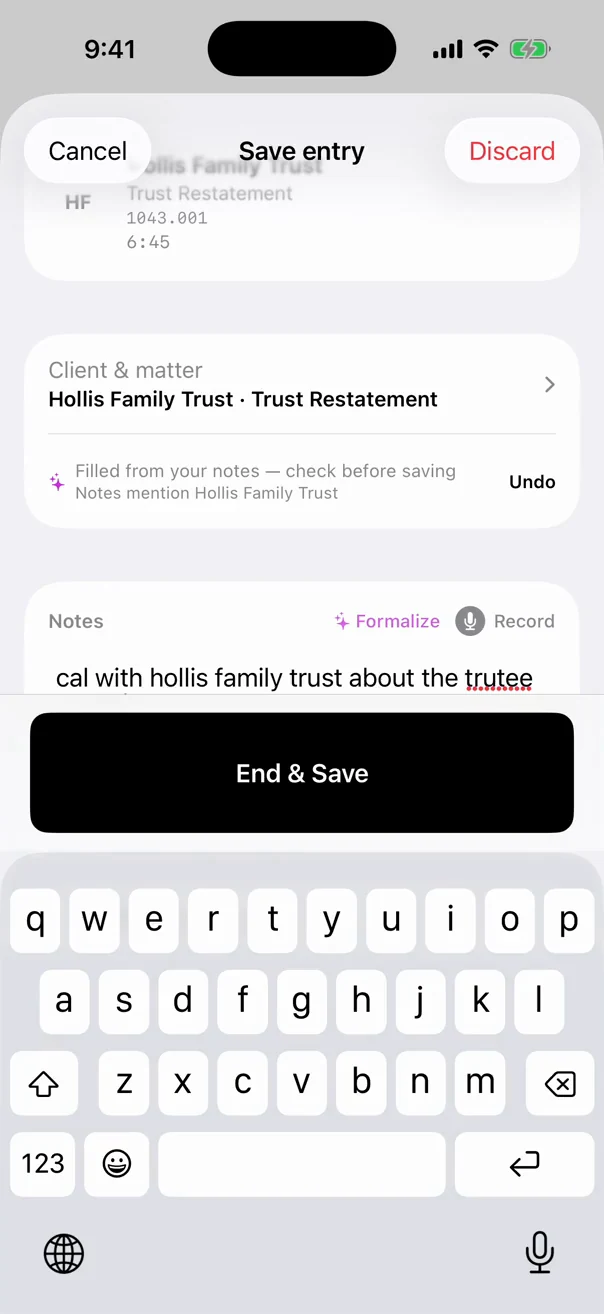
Dictate it once. It arrives billing-ready.
Say what you did in your own words at the moment you stop the timer. The note is the step everyone skips at 6pm — so TRYX writes it for you, in billing language, with the task code and rate already chosen. You stop the timer and talk; the entry fills itself in.
- Formalization runs on-device with Apple Intelligence when your iPhone supports it
- The UTBMS task code is predicted from what you actually said
- Rate tier and billing increment apply themselves — 40 minutes becomes 0.70 on a 0.1 increment, with no mental math
- Thin narratives get flagged as needing detail — before an admin or a carrier auditor sees them
- Name the client in your note and the attribution fills in — always labelled, always one tap to undo
Web dashboard · Admin view
Catch the weak entries before your client does.
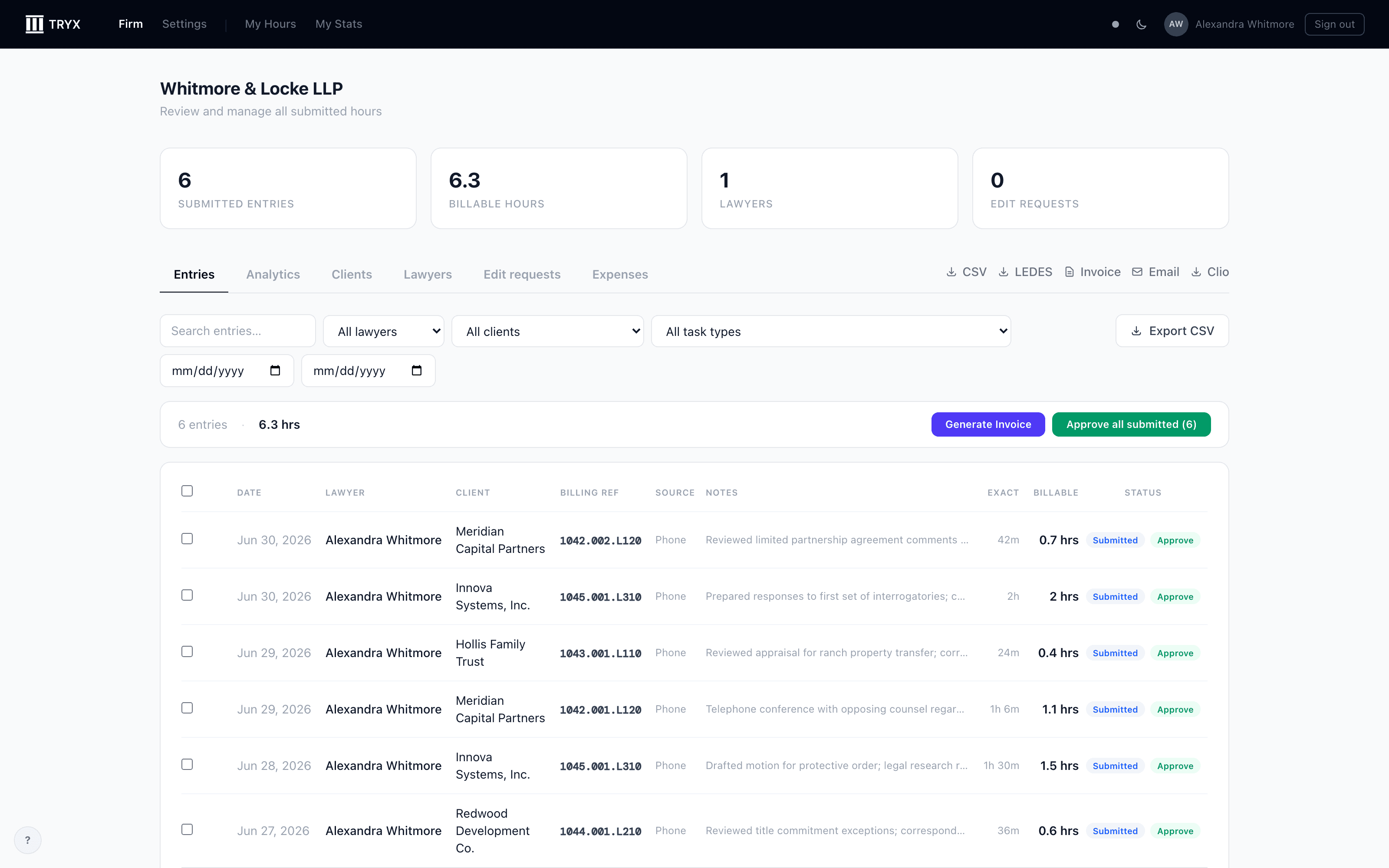
Submitted time lands in one queue with matter IDs, task codes, and hours in separate columns — the way billing reads them — with the thin and lumped entries already flagged. Approve, edit, export, or push approved time straight to your practice-management system.
- Approve or edit submitted entries; a lawyer's post-submission changes reach you as edit requests, not silent rewrites
- Firm analytics, expenses with receipts, and client portal links in the same place
- Needs-detail flags — entries too thin to survive an audit, surfaced before they reach an invoice
- Block-billing warnings surface lumped entries before they hit an invoice
Exports & integrations
It goes wherever your billing already lives.
Approved time leaves TRYX in the shape your billing system expects — matter ID, task code, rate and hours as separate fields, not one string somebody has to unpick.
- LEDES 1998B and CSV export for any system that reads them
- Direct sync with Clio for approved entries
- No practice-management system at all? Export the invoice and keep the file — plenty of firms bill exactly that way
Built around how legal billing actually works.
From your Lock Screen to a running timer. The capture cost is lower than the cost of forgetting.
Or fifteen, thirty, or the hour. Set a firm default, override it per client or matter, and every entry rounds automatically — no mental math at the end of the day.
The LEDES format carriers and corporate clients require. TRYX exports it natively, with matter ID and task code as separate fields.
And the rest of the box.
Every one of these ships today.
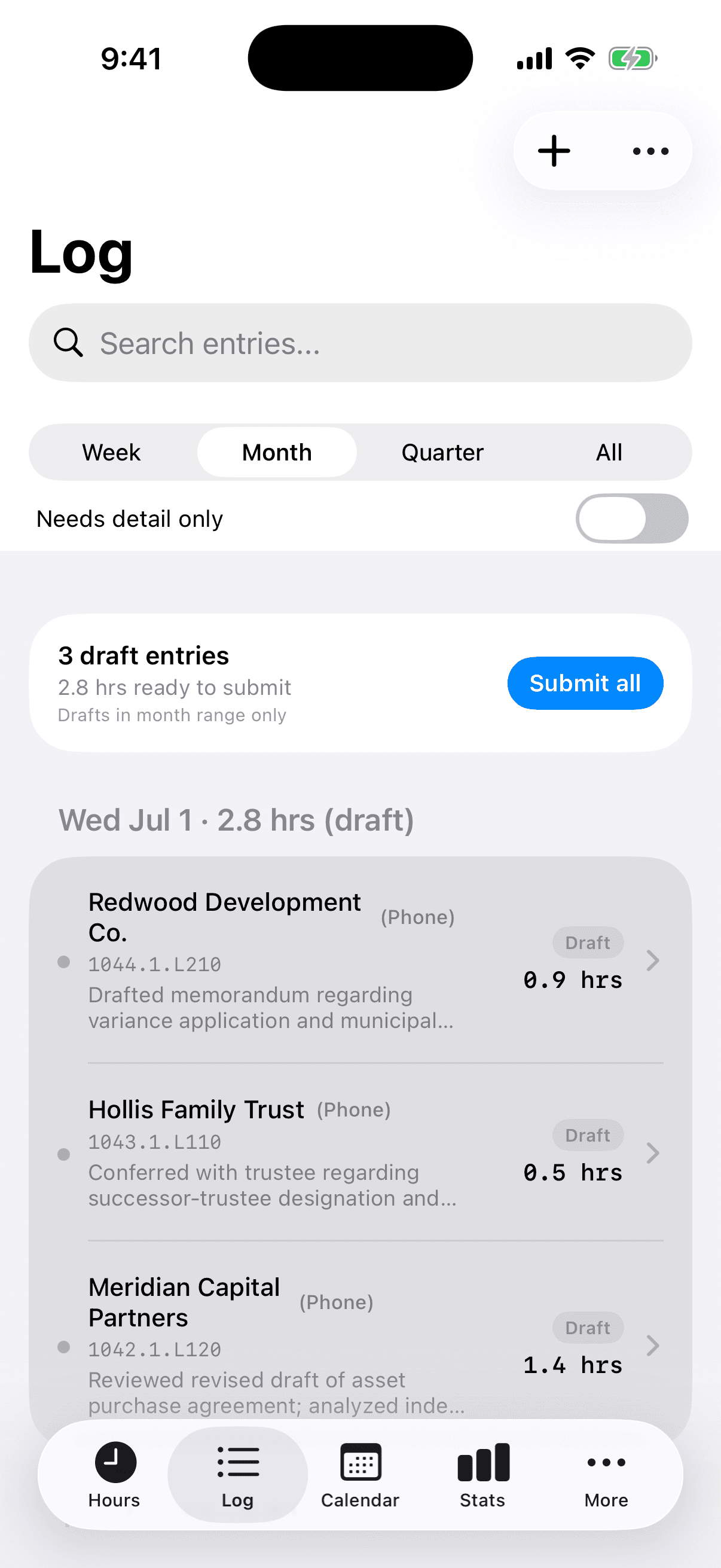
Drafts reviewed, submitted in one tap
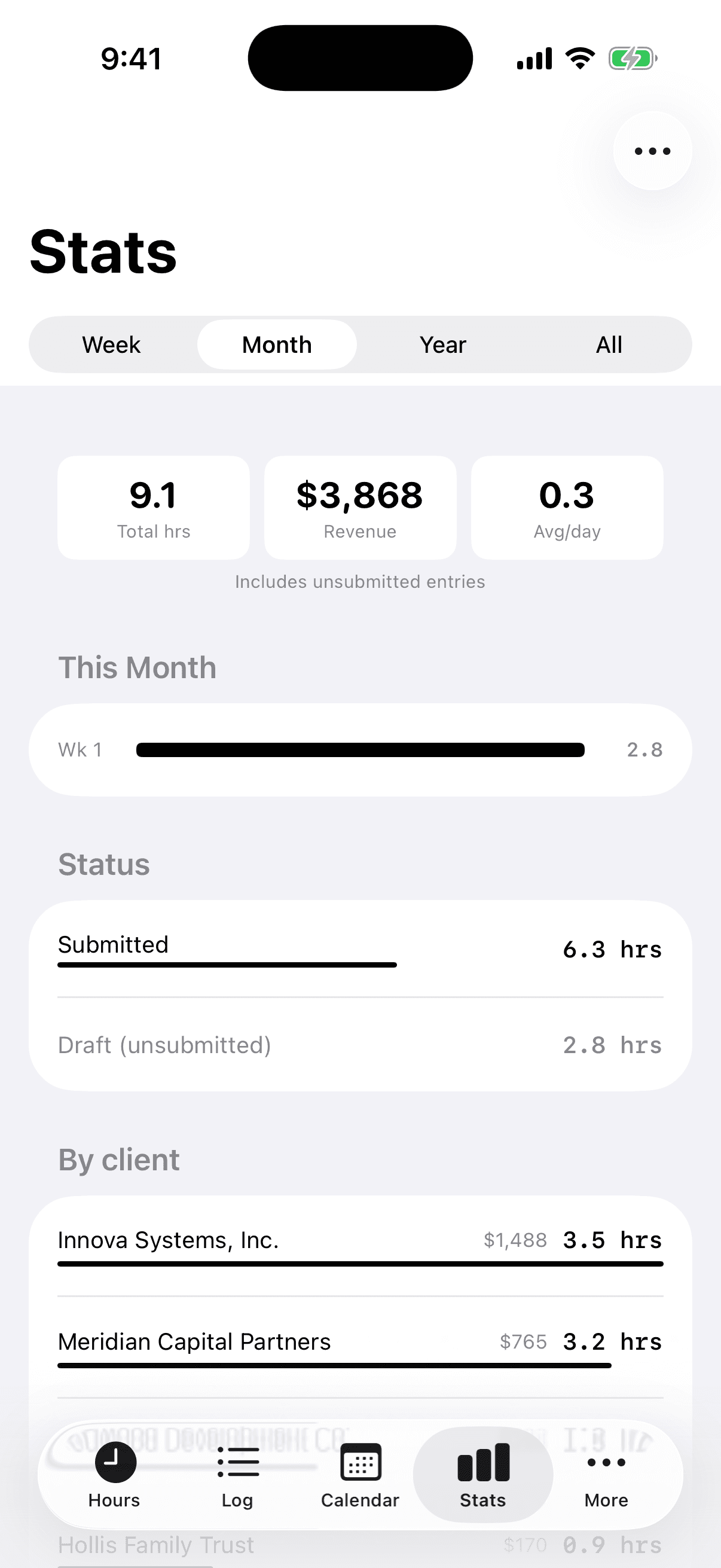
Hours and revenue, always current
Roadmap
Everything above ships today; nothing below does. What we're building next is one assistant across all of it — it does the work, and it knows the numbers. Every capability below is the same conversation.
Voice-filed entries
Say it, and the entry files itself. Client, matter, and time in one sentence — the entry arrives with the matter ID, task code, and duration already chosen, a complete billing-ready line with nothing left to pick.
AI assistant
Ask it anything about your book: “Which matters are running past estimate?” Plain-language questions, answered with the chart already drawn — through a fixed set of permission-scoped queries, never raw database access, never your notes as training material.
Calendar integration
Read-only access to the third-party calendar your firm already runs on. A meeting with no entry against it becomes a question, not a memory exercise on Friday.
Screen-aware billing
On the desktop, it notices unbilled time: a morning spent in a document titled for one matter becomes a suggested entry. Opt-in, on-device, visibly indicated whenever it is on — it never records your screen, and nothing about what is on it leaves your machine.
The assistant is in development and not yet available. Founding firms help set the order — tell us which capability you'd use first.
Privacy & security
Privileged by default.
Your time entries are work product. TRYX treats them accordingly.
Private until submitted
Draft entries and notes are visible only to the lawyer who wrote them. Nothing reaches the firm until you submit it for review.
No AI training on your data
Your notes and entries are never used to train models. Formalization runs on-device with Apple Intelligence when your iPhone supports it.
Isolated by design
Row-level security separates every firm's data at the database layer, encrypted in transit and at rest.
Client names behind Face ID
Hide client and matter names everywhere they appear — widgets, the Lock Screen, notifications — until you look at your phone. Read our security overview.
In private beta with founding firms.
TRYX is being built hand-in-hand with practicing lawyers. Founding firms don't just get early access — they shape what gets built next.
- Hands-on onboarding
- A direct line to the team
- A voice in the roadmap
Questions firms ask us.
How do I get access?
TRYX is invite-only during the private beta. Email info@tryxapp.com with your name, firm, and role — we set up your firm and walk you through onboarding directly.
What does the beta cost?
Pricing is finalized with founding firms during the private beta — email us and we'll walk you through it. No public tiers yet, on purpose.
What devices does it run on?
iPhone and Apple Watch today — including Home Screen and Lock Screen widgets, Live Activity, and Dynamic Island — plus a web dashboard for every lawyer and admin in the firm. An Android app is in development.
Can I get my data out?
Anytime. Export LEDES 1998B or CSV from the dashboard, and approved time can push to a connected practice-management system (Clio today, with more integrations planned). Your time entries are yours.
Where does my data live?
In a Postgres database with row-level security isolating every firm, encrypted in transit and at rest. Notes stay private to their author until submitted, voice formalization can run entirely on-device, and nothing is ever used to train AI models. Read the security overview.